

How to Avoid the Impending Doom of Site-wide SSL
Updated October 5th, 2017
In case you haven’t heard, Google is stepping up their game on unencrypted websites, and your store very likely will be affected. Back in September 2016, Google announced that its Chrome browser would begin marking any non-SSL pages containing passwords or credit card forms as Not Secure. This has been going on since January of this year.
Google announced that "Phase 2" of this protocol will begin with the release of Chrome 62, and will apply to pages that involve any kind of non-secure user input. This means any field such as a search input, newsletter signup, contact form, login and password fields, checkout, etc, will need to be secure, or Chrome will alert the user that their connection is not secure. Chrome 62 is scheduled to be rolled out on October 24, 2017. The reason this is so important is because typically on every page of on an eCommerce site there in an input somewhere, whether it be the search feature in the header or an email capture form located anywhere. Eventually, all HTTP pages will be marked as Not Secure in Chrome and not just the ones customers use to input passwords or credit card information.
Yikes, this is a big deal. Chrome is the most used web browser in the world and where they go, others tend to follow. As Google’s changes to Chrome taking effect, SSL needs to be implemented across your entire website.
Making the switch to full-SSL has become a requirement for any eCommerce store to be successful. In a recent survey, half of the respondents reported being increasingly concerned about online privacy and cited lack of trust as the main reason they do not shop online. With SSL/HTTPS, users will see in the address bar that your site is secure, giving them confidence and encouraging them to complete a purchase.
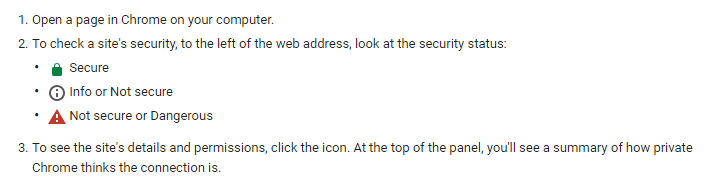
There are three possible security statuses in Chrome: Secure, Info/Not Secure, and Not Secure/Dangerous, as illustrated below.
There are several different kinds of SSL certificates. We recommend and Extended Verification certificate for eCommerce stores. In addition to verifying that you own your domain, it also verifies that you are actually the company you claim to be. It also provides the highest level of encryption. When a site has EV SSL, Chrome displays the website name and “https://” in green in the address bar, in addition to the lock symbol.
Migrating an entire site from HTTP to HTTPS can be very simple or very complicated, depending on the site. There are many steps and variables to account for before, during, and after the switch, and each one is essential. If full-SSL is implemented improperly, it can cause damage to your SEO. However, when full-SSL is done right, it can boost your SEO. Google has already said that HTTPS is used as a ranking signal and can be a tie breaker for a similar non-HTTPS search result. ParadoxLabs has experience in migrating Magento sites to HTTPS, so we know exactly what to look for and how to make sure it is done correctly.
When enabling full-site SSL, be sure to add 301 redirects for all non-SSL requests to SSL, check major pages to resolve any mixed-content warnings, regenerate the sitemap, and test your site to ensure there were no side effects. Switching to HTTPS also involves monitoring site rankings, updated linking, reconfigurations, canonicalization, etc.
Although this new change will not take effect for a few more months, you shouldn’t wait until the last minute. October is already extremely busy for online retailers, and you don’t want to be dealing with a site migration while you’re preparing your site for the holiday shopping rush. The sooner you switch, the sooner you start benefitting.
Need help setting up site-wide SSL in Magento? Contact us.